
MFA vs 2FA: Which Cyber Defense Strategy Works Best
Dec 12, 2025


Today, relying on a single password is no longer enough to protect your accounts. Hackers find new ways to access sensitive information every day, and the scale of the problem is staggering.
Over 16 billion login credentials have already been leaked online. This means the typical password is highly vulnerable, exposing businesses to phishing, ransomware, and credential theft.
Key reasons passwords fail:
- Easily stolen through phishing or malware
- Frequently reused across multiple accounts
- Already exposed in massive data breaches
Implementing stronger authentication methods is essential. As Danny Tehrani, President/Founder at Computers Made Easy, explains: “Using multiple authentication factors significantly reduces risk while keeping employees productive and confident in accessing systems.”This blog will break down 2FA and MFA and how each of them protect accounts, prevent breaches, and maintain compliance with security standards.
Reduce Credential Attacks with Stronger Login Protection!
Add multi-factor security that blocks unauthorized access, protects sensitive systems, and supports remote and hybrid users.
Learn MoreWhat 2FA and MFA Mean
The terms 2FA and MFA are often confused, but they are not the same. Both approaches strengthen account security, yet they differ in how many factors are required. 2FA stands for two‑factor authentication and requires two pieces of evidence to confirm identity. MFA, or multi‑factor authentication, requires at least two, and often more, independent factors.
To make the distinction clearer, consider these points:
- 2FA = exactly two factors
- MFA = two or more factors
- Both reduce reliance on passwords alone
The MFA acronym describes this layered security approach, adding verification beyond a simple password.
For example:
- Password + SMS code: a common 2FA setup
- Password + fingerprint + hardware token: a typical MFA arrangement
These layers reduce the chance that hackers can access sensitive systems. A robust setup is necessary because strong authentication is required to prevent credential theft, phishing attacks, and unauthorized access.
As a business leader, knowing what MFA means ensures you can make informed decisions about account security.
How 2FA Works
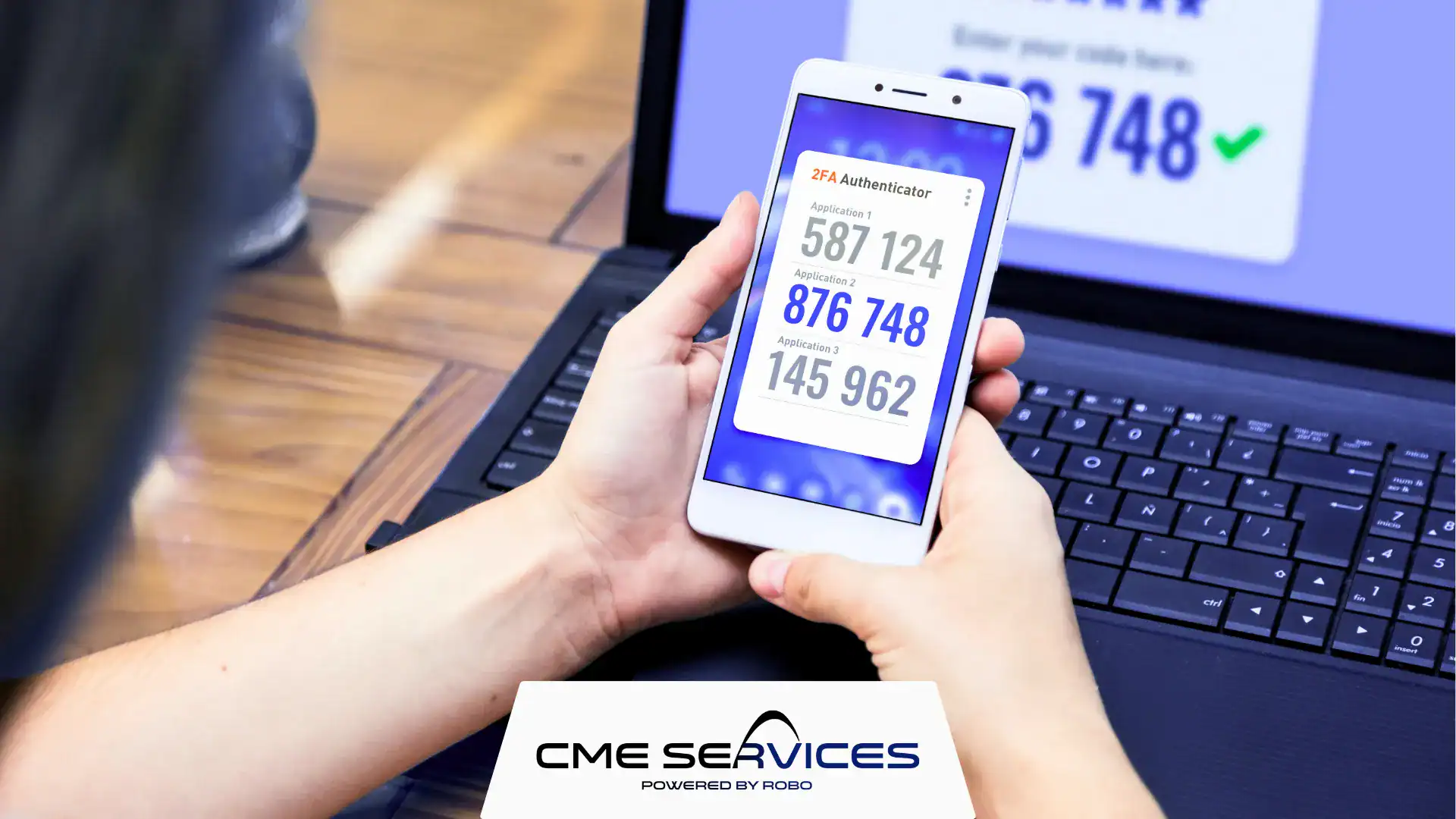
Two‑factor authentication adds one extra step beyond a standard password. It usually combines a knowledge factor (something you know) and a possession factor (something you have). Organizations often rely on methods such as:
- SMS OTP: a one‑time code sent to your phone
- Mobile push notifications: approve a login directly from a mobile app
- Authenticator apps: generate temporary codes on your smartphone
This approach comes with clear advantages:
- Simple to set up and manage
- Reduces risk of password‑only attacks
- Compatible with most websites and applications
However, it also has limitations worth noting:
- SMS‑based codes can be intercepted or delayed
- Users may resist extra steps if inconvenient
- Lost or stolen devices can temporarily block access
Including a clear multi factor authentication policy helps organizations define which 2FA methods are allowed, ensuring consistent security while keeping access manageable.
Why is MFA Important and How Does it Work?
Multi‑factor authentication goes beyond 2FA. MFA locks down your account with 99% more protection against intruders. While 2FA requires exactly two factors, MFA uses multiple independent factors for stronger security. Businesses often implement combinations such as:
- Password + fingerprint + location verification – ensures identity across devices
- Password + facial recognition + hardware token – ideal for sensitive systems
- Password + push notification + behavioral analytics – combines knowledge, possession, and inherence
The MFA benefit is clear:
- Significantly reduces risk of breaches and unauthorized access
- Helps comply with regulatory standards
- Protects against phishing, stolen credentials, and compromised devices
MFA works because each factor is independent. If a hacker gains access to one factor, additional layers prevent unauthorized access. Implementing MFA across your organization strengthens overall security and provides peace of mind for both management and employees.
Comparing 2FA vs MFA
Choosing between 2FA vs MFA requires understanding differences in security, convenience, and complexity. Both approaches strengthen authentication, but they are not equal in how they balance protection with usability.
When comparing them, keep these points in mind:
- Security: MFA is generally stronger because it uses independent factors across knowledge, possession, and inherence.
- Convenience: 2FA is often simpler for users but can be bypassed more easily.
- Complexity: MFA requires more setup and management but provides layered protection.
Remember, all 2FA setups are a form of MFA, but not all MFA setups are 2FA. Using multiple factors increases protection, but you must balance security with usability. For example, excessive authentication can frustrate users. Proper design ensures you strengthen access without unnecessary friction.
Choosing the Right Authentication for Your Business
Selecting between 2FA and MFA depends on multiple factors specific to your business. Each organization must weigh risk, usability, and cost before deciding which approach to adopt.
Key considerations include:
- Business size: Large enterprises benefit more from MFA due to higher risk.
- Remote or hybrid workforce: Cyber threats hit 80% of businesses harder after the shift to remote work. MFA allows secure access across multiple locations.
- User experience: Too many steps may reduce adoption, so balance friction with protection.
- Budget: MFA may require additional software or devices but is worth the investment for sensitive data.
Practical multi factor authentication policy examples for SMBs include:
- Enforcing MFA for all administrative accounts
- Allowing optional MFA for standard employees with sensitive access
- Combining passwordless login with push notification verification
Choosing the right authentication strategy ensures employees can access systems securely without compromising productivity.
Best Practices for Strong Authentication
Almost 9 out of 10 employees (89%) already rely on 2FA or MFA for secure access. However, implementing strong authentication goes beyond enabling 2FA or MFA. To maximize protection, organizations should embed secure practices into daily operations.
Some recommended steps are:
- Maintain strong password hygiene and avoid reused or simple passwords
- Pair 2FA or MFA with Single Sign‑On (SSO) for convenience
- Use contextual authentication, including location or device behavior
- Educate employees on phishing, social engineering, and safe login habits
- Regularly review and update your multi factor authentication policy to ensure compliance and security
Strong authentication practices create a reliable security layer. Adopting mfa benefit strategies reduces incidents, simplifies management, and helps your organization meet regulatory requirements.
Remember, strong authentication is required for any organization that handles sensitive or confidential data.
MFA and 2FA Considerations for IT Leaders
Implementing authentication goes beyond the basic methods already discussed. While 2FA and MFA both strengthen account security, there are additional nuances that organizations often overlook.
These factors can significantly influence adoption, usability, and compliance. Understanding them helps guide effective decision‑making and ensures your multi factor authentication policy is both practical and secure.
| Factor | 2FA Approach | MFA Approach | Benefits | Considerations |
| Device Security | Limited to one device | Multiple device options | Stronger protection | Requires device management |
| User Behavior | Minimal tracking | Behavioral analytics | Detects anomalies | Complexity in setup |
| Biometric Options | Rarely used | Commonly integrated | Unique identity verification | Privacy concerns |
| Regulatory Compliance | May meet minimal standards | Supports multiple compliance frameworks | Reduces legal risk | Implementation cost |
Weighing these additional considerations helps businesses balance usability with protection. This ensures that employees remain productive while systems stay secure, reinforcing the importance of MFA in modern cybersecurity strategies.
Protect Your Accounts with Computers Made Easy’s 2FA and MFA Solutions
In today’s threat landscape, choosing between 2FA vs MFA is critical for safeguarding your business. While 2FA adds a useful layer of security, MFA provides multiple independent factors that significantly reduce risk.
Strong authentication is required to protect against phishing, credential theft, and compliance failures.
Why strong authentication matters:
- Enhances overall security posture
- Ensures compliance with regulatory standards
- Protects against phishing and credential theft
Computers Made Easy is a trusted provider of MFA and 2FA solutions, supporting over 10,000 users across the U.S. with 24/7 IT support and monitoring. Their team guarantees a 99% uptime and delivers expert guidance in securing accounts.
Contact us today to schedule a consultation and implement tailored authentication solutions that keep your business safe.
Contact Us
IT & Marketing Services